
Integrations
Which tools does Roccai integrate with?
In short
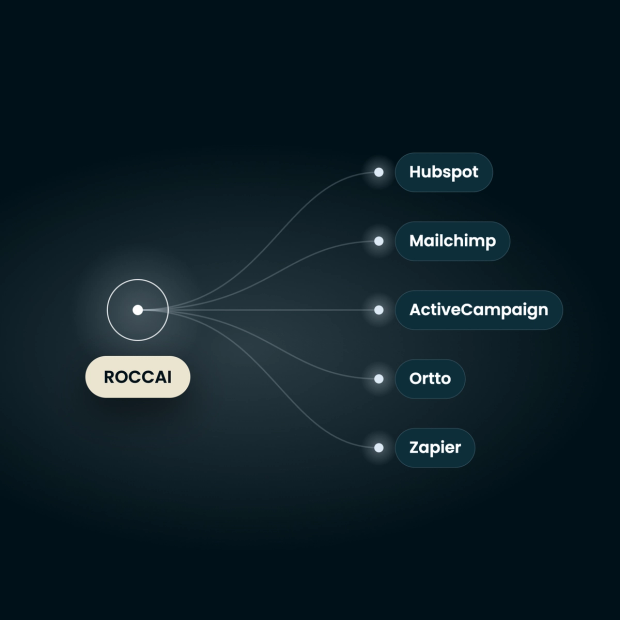
Roccai sends every enriched lead, the contact details plus the preferences behind them, into HubSpot, Ortto, Mailchimp, Klaviyo or ActiveCampaign through native connectors. Zapier and a custom webhook reach everything else. Each connector maps Roccai fields to your own, per campaign, with no developer needed.
Your data goes where you already work
Roccai is not another place to log in and check for leads. An enriched lead lands in the CRM your sales team already opens and the email tool your campaigns already run from — with the preference data attached, so your existing segments and automations have something real to work with.
Every Roccai integration at a glance
| Tool | Category | What Roccai sends it | What you need to connect it |
|---|---|---|---|
| HubSpot | CRM | Creates or updates a contact, writing guide answers into HubSpot properties you choose | A private app access token |
| Ortto | CRM + marketing automation | Pushes customer and lead data as an Ortto activity, ready to trigger a journey | An API key and an activity ID |
| Mailchimp | Email marketing | Adds or updates an audience subscriber, tagged by campaign, with answers in merge fields | An API key and an audience ID |
| Klaviyo | Email + SMS | Syncs a profile, optionally to a specific list, with answers in Klaviyo fields | A private API key |
| ActiveCampaign | Email, automation + light CRM | Syncs the lead as a contact with answers in ActiveCampaign fields | Your API URL and an API key |
| Zapier | Connector to anything else | Fires a new-lead trigger that starts any Zap, including Make and Google Sheets | A Zapier webhook URL |
| Custom webhook | Your own endpoint | POSTs the full JSON payload to your URL the moment an enriched lead is captured | Your endpoint URL, plus an optional signing secret |
Set up a connection
HubSpot
Connect Roccai to HubSpot with a private app access token. Guide answers write to HubSpot properties you map, so contacts arrive with stated preferences attached.
How it works →
Ortto
Connect Roccai to Ortto with an API key and activity ID. Completed guides arrive as Ortto activities, ready to trigger a journey with preference data attached.
How it works →
Mailchimp
Connect Roccai to Mailchimp with an API key and audience ID. Subscribers arrive tagged by campaign, with guide answers written to merge fields for segmentation.
How it works →
Klaviyo
Connect Roccai to Klaviyo with a private API key. Guide respondents sync as profiles with answers in Klaviyo fields, so flows can branch on declared preferences.
How it works →
ActiveCampaign
Connect Roccai to ActiveCampaign with your API URL and API key. Leads sync as contacts with guide answers in ActiveCampaign fields, ready for automations.
How it works →
Zapier & custom webhook
Send Roccai data anywhere: a Zapier trigger for 7,000+ apps including Make and Google Sheets, or a custom webhook POSTing the full JSON payload to your endpoint.
How it works →What actually flows into your tools
Roccai does not hand your CRM another email address. It hands over the answers behind it — including what the person said no to.
Every connector sends three layers of data. First, the contact fields someone typed into the guide — email, name, phone, whatever your input card asks for — each one mapped to a field you pick in the destination tool. Second, the decisions: every question the guide asked, the option they chose, and the options they rejected. Third, an optional AI summary — a plain-language paragraph describing what the person was looking for and what they leaned toward.
The rejected options are the half most tools throw away, and usually the more useful half in a sales call. A lead who said no to city breaks and yes to coastal trips is a different conversation from one who only gave you an email address.
Field mapping, per tool
Each connector has its own mapping table: you pair a Roccai source field with the destination's own field — a HubSpot property, a Mailchimp merge field, a Klaviyo or ActiveCampaign field, an Ortto target, or any key you like in a webhook payload. Nothing arrives as an unlabelled blob, and you do not have to accept Roccai's field names.
Routing by campaign
Every connector is scoped to campaigns. One guide running across a newsletter, a paid social ad and an in-store screen can send each campaign's leads to a different destination — or send the fair leads to your CRM and the newsletter leads to Mailchimp — without building a second guide.
When it arrives
On submission, not on a nightly sync. An enriched lead reaches your CRM or email tool in real time, so a welcome flow or a sales task can fire while the person is still on the page.
What the webhook and Zapier payload contains
| Field | What it holds |
|---|---|
| companyId | Your Roccai company ID — constant across all your guides |
| moduleId | Which guide was completed |
| sessionId | The individual run of the guide, for tying a lead back to its session |
| campaignId | The campaign the guide was shared under, so you can route or attribute by channel |
| submittedAt | ISO 8601 timestamp with timezone offset, e.g. 2026-09-04T12:34:56.789012+00:00 |
| data | The contact fields the person entered, keyed by your own field names — e.g. email |
| aiSummary | Optional plain-language summary of the session, e.g. "Customer compared pension plans and leans toward balanced growth; wants advisor contact by email." |
| decisions | Optional. One entry per card, keyed by card ID, each holding the question text, every option with whether it was selected or unselected, the selected answer, and a timestamp |
Reporting, analytics and everything else
Power BI, Make, Google Analytics and CSV are supported — but through the API, the webhook and the data layer rather than as one-click connectors.
Power BI reads from the Roccai API, so guide engagement and preference data can sit in the same dashboard as the rest of your reporting. Make connects through the custom webhook or Zapier, the same way any other automation platform does. Google Analytics is different again: guide events are pushed to your data layer as GA4 events, so you track starts, completions and lead submissions alongside the rest of your site. And CSV export covers the cases where you just want the rows — including straight into WordPress.
Product data comes in the other direction: point Roccai at a JSON or XML feed URL, or upload a CSV. Shopify and WooCommerce both generate a feed Roccai can read, so the guide recommends your real catalogue rather than generic results.
Step-by-step setup guides
Frequently asked questions
Which CRM and email tools does Roccai integrate with?
Roccai has native connectors for HubSpot, Ortto, Mailchimp, Klaviyo and ActiveCampaign, plus Zapier and a custom webhook for anything else. Each one receives the lead's contact details along with the preference data captured during the guide.
Does Roccai integrate with HubSpot?
Yes. Roccai connects to HubSpot with a private app access token and creates or updates contacts directly in your CRM. You map each Roccai field to a HubSpot property, so guide answers land on the contact record rather than in a note, and you can scope the connection to specific campaigns.
Does Roccai integrate with Ortto?
Yes. Roccai pushes customer and lead data into Ortto as an activity using your API key and an activity ID. Because it arrives as an activity, it can trigger an Ortto journey immediately — so an enriched lead can start an automated follow-up in real time.
Does Roccai integrate with Klaviyo or ActiveCampaign?
Yes, both. Klaviyo needs a private API key and optionally a list ID, and syncs guide respondents as profiles. ActiveCampaign needs your API URL and API key, and syncs them as contacts. In both cases you choose which Roccai field maps to which field in the destination.
Can I connect Roccai to a tool that isn't on the list?
Yes, two ways. Zapier gives Roccai a new-lead trigger that can start a Zap into any of the apps Zapier supports, including Make and Google Sheets. Or use the custom webhook: Roccai POSTs the full JSON payload to any URL you specify, with an optional signing secret for verification.
What data does Roccai send to my CRM?
Three layers: the contact fields the person entered, the decisions behind them, and an optional AI summary of the session. The decisions layer includes every question asked, the option chosen and the options rejected — so you get a preference profile, not just a signup.
Can I map Roccai answers to my own CRM fields?
Yes. Every connector has a mapping table where you pair a Roccai source field with the destination's own field — a HubSpot property, a Mailchimp merge field, a Klaviyo or ActiveCampaign field, an Ortto target, or any key in a webhook payload. You never have to adopt Roccai's field names.
Can I send data from different campaigns to different tools?
Yes. Each integration is scoped to the campaigns you select. One guide shared across a newsletter, a paid ad and an in-store screen can route each campaign's leads to a different destination, without duplicating the guide.
Do I need a developer to set up a Roccai integration?
No. The native connectors ask only for an API key or access token and the field mapping, and there are step-by-step guides for each one. A developer is only useful if you choose the custom webhook and want to verify the signing secret on your own endpoint.
Can I get Roccai data into Power BI or Google Analytics?
Yes, though not as one-click connectors. Power BI reads from the Roccai API so guide and preference data can sit in your existing dashboards. Google Analytics is fed through your data layer as GA4 events, tracking guide starts, completions and lead submissions.
 See it running on your stack